
Orders
Manage orders with an in-house fleet
Create, edit, and plan orders in Company logistics mode, starting from the company warehouse.
Before creating the order
Check that Company logistics is selected in Account → Company and that at least one company warehouse exists. This flow is for deliveries with your own vehicles: it is not a separate product or an add-on.
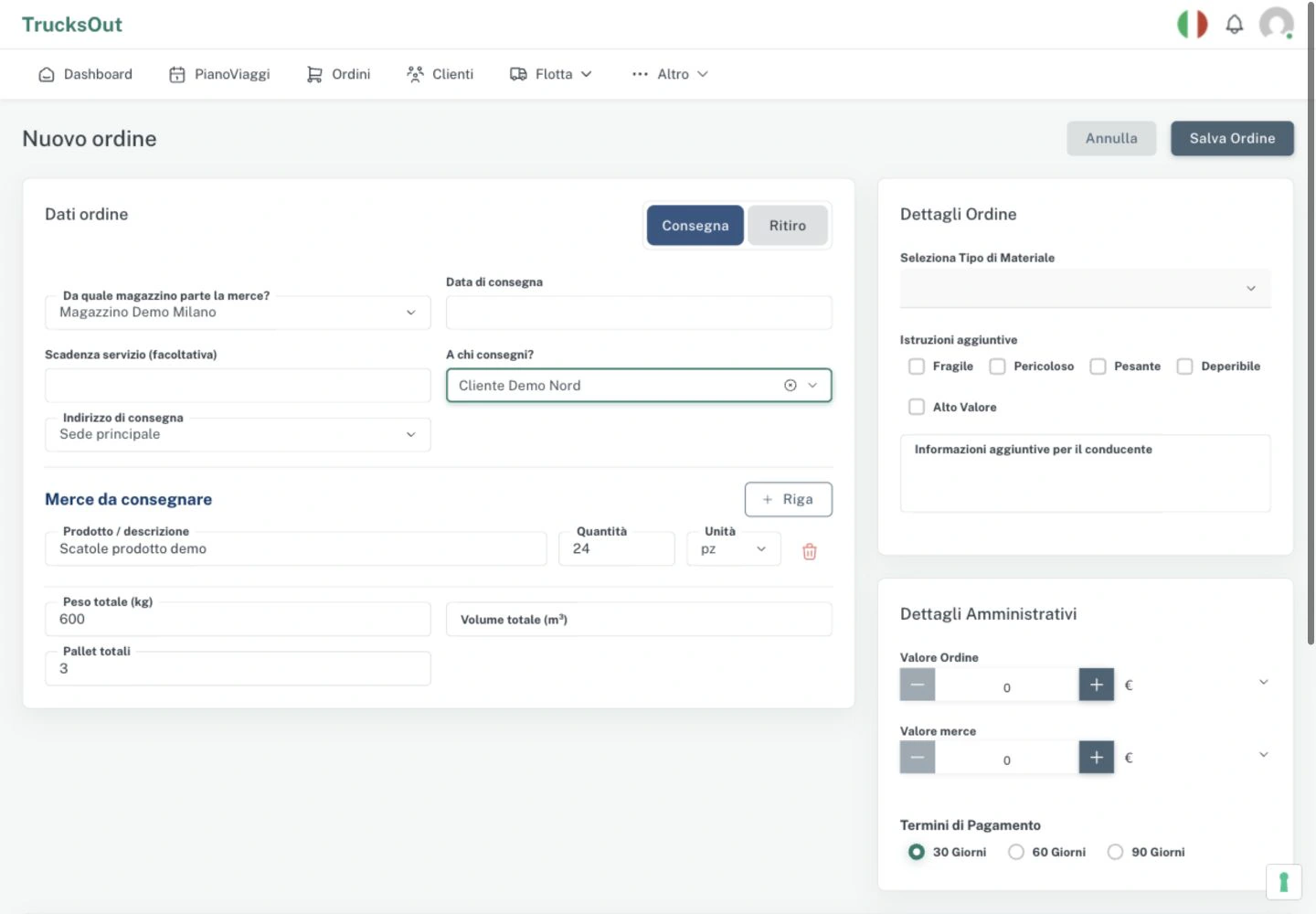
Create a delivery order
- Open Orders and select New order.
- Choose Delivery as the operation type.
- In Which warehouse do the goods leave from?, select the right company warehouse.
- Enter the Delivery date. If needed, add the Service deadline: this is optional operational information, separate from the delivery date.
- In Who are you delivering to?, choose the customer or recipient. Then select their delivery address or use Enter an address to specify a different one.
- Add the goods lines with description, quantity, and unit; weight, volume, and pallets are available when needed.
- Save the order.
Create a collection order
Choose Collection as the operation type. The company warehouse becomes the destination: select it in Which warehouse do the goods arrive at?. Choose the origin party in Who are you collecting from?; complete the collection address and Collection date, then the goods lines and load details before saving.
The previous screenshot shows a Delivery. The form labels change when you select Collection.
Edit and plan
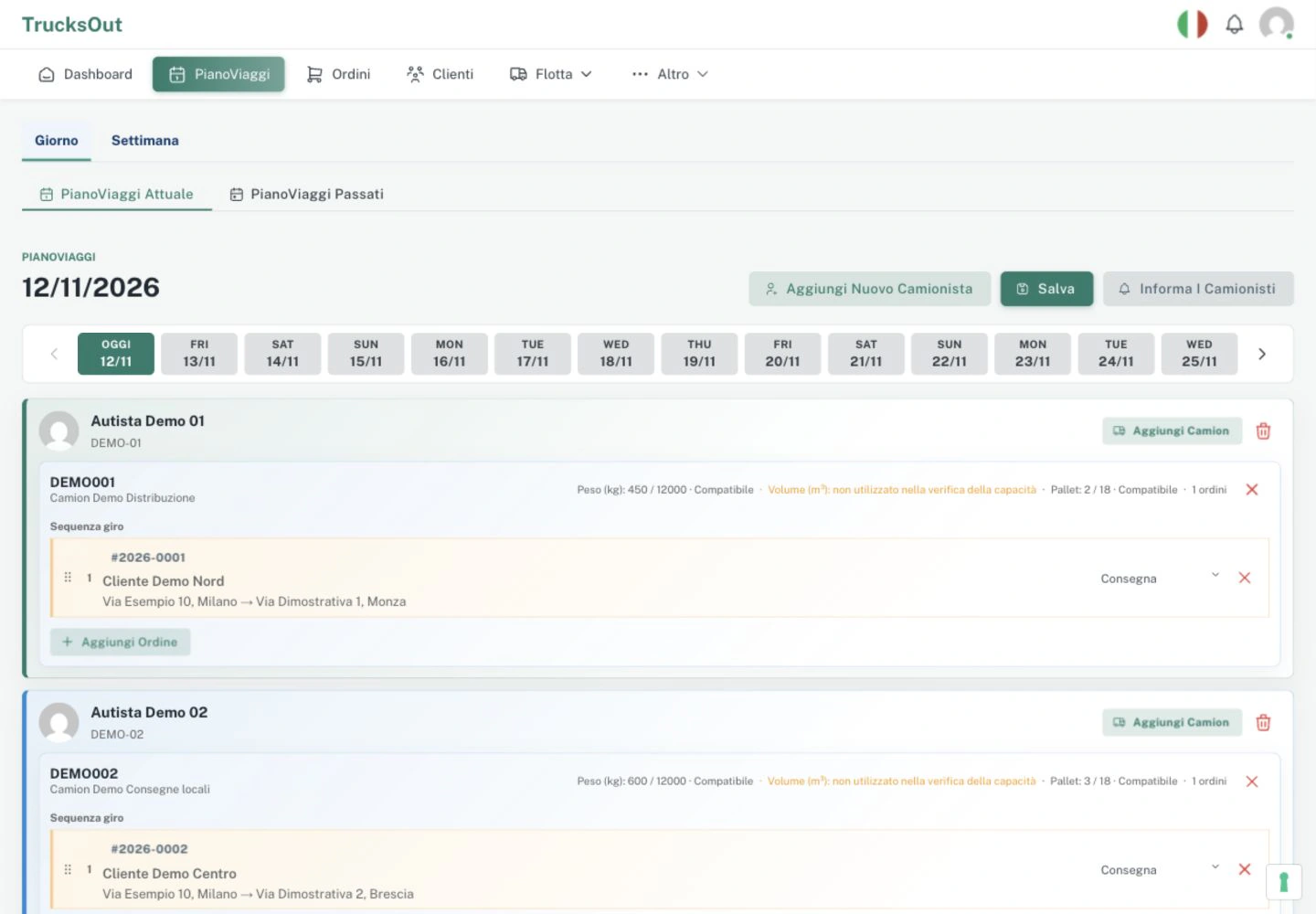
Before the driver takes charge of the order, open it from Orders, select Edit, and update the necessary details. If you change the date, origin, or destination after planning it, also check the daily Trip Plan and save the updated assignments.
Comparison with third-party transport
In Third-party transport, the flow uses the Customer to invoice and keeps collection and delivery separate, with their respective customers, warehouses or addresses, and dates. For the general flow in detail, see Create an order.
Last reviewed: