
Account and security
Choose the company mode
Choose a mode during first access or change it later in Account → Company, without converting orders already created.
Your first choice during onboarding
On first access, the company owner sees the mode choice. Select For-hire transport when you organise services for customers; select In-house logistics when you organise collections or deliveries with your own vehicles. Both modes are part of the same product: In-house logistics is not an add-on.
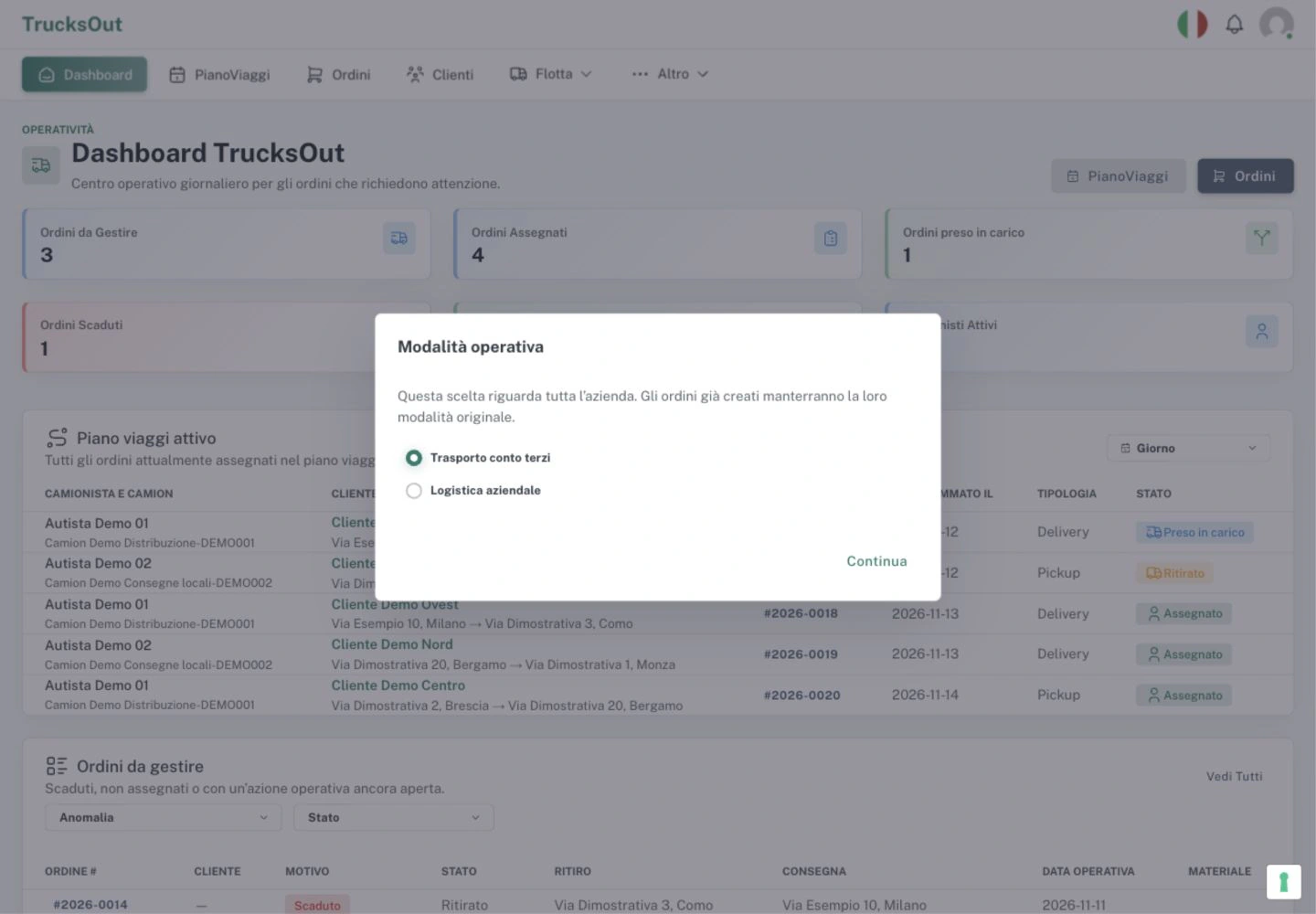
The initial dialog contains only the two choices and Continue; it has no warehouse fields. After choosing In-house logistics and Continue, open Account → Company and configure the first company warehouse before creating logistics orders.
Change the mode later
Your first choice is not permanent. To change it later, open Account → Company, select the mode in Company mode, then save. The company owner or a Manager who can manage the company can do this.
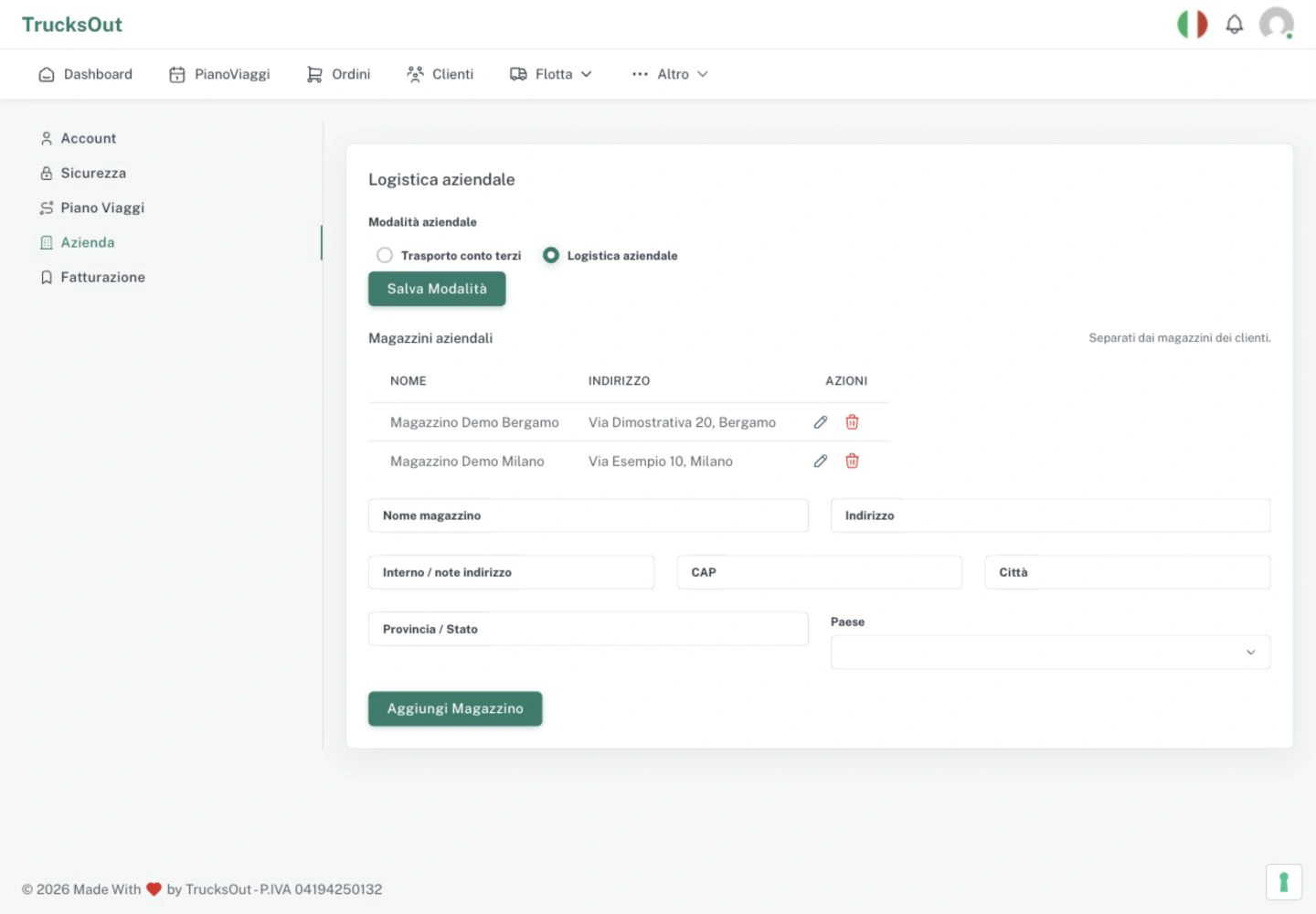
Before switching to In-house logistics, make sure that at least one company warehouse is complete. In Company warehouses, Warehouse name, Address, Postcode, City, Province / State and Country are required. When you add the first warehouse while In-house logistics is selected, the form also attempts to save the mode. If the warehouse saves but the mode does not, do not create another one: use Save mode to retry. Company warehouses are different from warehouses in customer records.
What changes
The mode guides the flow for new orders. With For-hire transport, you work with the billing customer, collection and delivery. With In-house logistics, a company warehouse is the starting point for a delivery or the destination for a collection.
Check before changing
Choose the flow that describes the work you are about to enter. If you are moving to In-house logistics, prepare the company warehouse before creating new orders. The mode does not turn TrucksOut into a WMS, ERP or continuous GPS tracking system.
Last reviewed: