
Trip Plan
Planning AI Lite
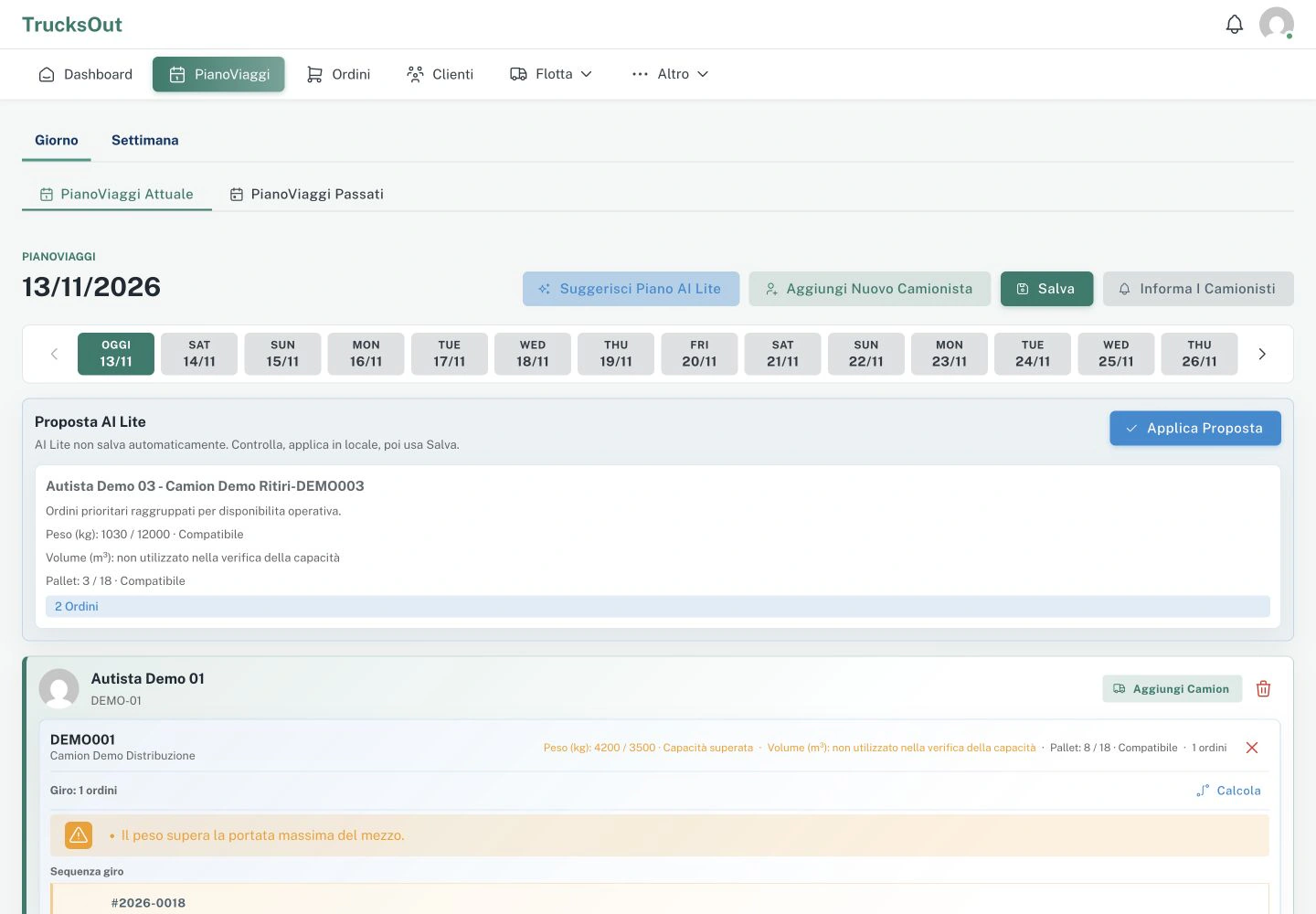
Planning AI Lite can suggest an initial plan, which the planner can review and change before saving.
Before you start
Prepare the orders, drivers and trucks you want to consider. The quality of the proposal depends on the information already in the plan.
How to do it
- Check that the feature is enabled for the company
- Open the feature in Trip Plan when it is available
- Review the proposal
- Check assignments and activities
- Apply it only after reviewing it
- Save the plan
What happens next
The proposal does not become the final Trip Plan until the planner reviews it, applies it and saves the plan.
Good to know
If something does not work
Check that the feature is enabled for the company and that the plan contains the required data. If the proposal is not generated, tell support the plan date and the message shown.
Last reviewed: